
Archive for January, 2005
Phone Booth (2002)
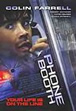

This movie’s premise is fairly simple. Starring Colin Farrell as a New York publicist that doesn’t give a hoot about anyone, it’s a movie about the deep secrets and evils people hold in, and what truly motivates a person.
Farrell has a cell phone, but he goes everyday to this one remaining phone booth to make a call to a girl that he wants to have an affair with. While in the booth he gets a call and things quickly swirl out of hand. It seems that there is a sniper that knows a good deal about Farrell and his discretions and starts giving him orders on guard of his life.
The whole movie is very high tension, and you never know where or what is going to happen. I wasn’t personally crazy about how the movie was shot, or the director who I just loathe, Joel Schumaker. If you like Colin, this role is a little bit out of the ordinary for him, because he is extremely humbled and forced to confess his deepest secrets in front of the world. But if you like movies that are different, and can ignore the incessant language from the hookers and Farrell, this one may be right up your alley.
Dinner at Bob Evans
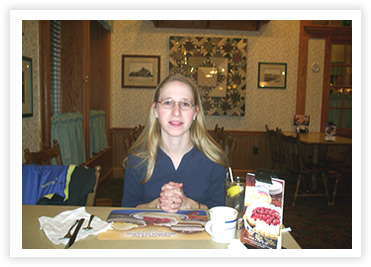
What I said on the homepage about our trip to Bob Evans was pretty self explanitory. We ended going out on a “date” with some gift certificates and neither Sarah or I liked our dinners. We have always enjoyed Bob Evans in the past without too many expectations, so I don’t know if it is just this location, which would be unfortunate.
They had some interesting looking desert, and I figured that desert may be an option, so instead of getting my regular of Cinnamon pancakes, I went with the Western Omellette. The super part that it was one quarter onions. I am still working on getting rid of them today, oy. Sarah’s “Big Sandwhich” as it was described in the menu had one limp slice of lettuce, one piece of undercooked bacon, two half slices of the smallest bread ever in the history of the world, and then looked kind of like someone was checking it for springiness in the back by jumping on it.
Long and short, glad it was free. Yuck.
Collateral Damage(2002)

This movie must have come out at a funny time. A year after the 9/11 attacks, this is a movie all about terrorist attacks.
Arnold stars as a fireman who has just lost his wife and child to a Columbian terrorist attack. Driven over the edge, he starts
to research how to get into the country and kill those who have taken his loved ones. He miraculously makes it into the guerilla run country and then penetrates the fortress of the terrorist where not even the USA could find him.
In the end of the movie he ends up back in America, trying to stop a bomb. There is a twist and he finds out who the real terrorist mastermind is.
There are a lot of parts I find hard to believe in this movie, and there is some under acting by Arnold. It may be an action film, but you never really feel the loss of his family. Plus the very ending, the villain survives this amazing explosion that would be totally impossible.
The cool thing about this movie is that Arnold doesn’t kill reams of people like a Conan movie or something, actually they are very few. It is a solid action movie and if you are just amazed at how massive Arnold is, then I would check this out. It isn’t particularly violent so for those of you who are put off by the R rating, that won’t be a problem. But don’t come looking for this movie to do anything more then take 2 hours of your life to relax and tune everything else out for some German flavored do-gooding.
Empire (2002)
Starring John Leguizamo and Peter Sarsgaad, yeah I have never heard of the second guy either, this movie revolves around Money, plain and simple. John is a drug lord in the Bronx who tries to get into big business with a Wall Street Jockey, investing in property developments.
This movie was not at all what I was expecting. The movie centered a lot around territory and respect, and less around what should have been the main story, John getting taken for a ride and scammed out of almost two million dollars.
It does point out a good lesson though, as John got more involved with the new people he thought were his friends, he had less time and cared for less those who had supported him and had his back all along. Then when the time came, a line was drawn in the sand and some stayed and some left all over money and its pursuit.
I think that you kind of have to like John Leguizamo. So if you like his movies, this should be up your alley. But is really heavy on the language, and does get to be a little long. But like I said, it has some good lessons on how money can destroy your life, and how you can never escape your past and the things you did.
Wimbledon (2004)

It’s a girlie movie, but it had Kirsten Dunst, who can be aggressive than giglish and it also had some of the filmography effects that are used in the popular CSI shows which made the fact that it was about tennis a little more interesting.
Paul Bettany is the male lead, star from Russell Crowe movies “Beautiful Mind” and “Master and Commander”, and is funny as much as the next English guy who uses all of their unusual slang, like “Bugga” or “Wanka”. He does a nice job in the lead role though and carries this movie enough. He really does show what the reaction is from the media to go from being unknown to being the underdog that does all the way to the top. He also does a really nice job of giving you a view into a competitors mind and all of the things they do to keep themselves in a game. All of the self massaging and self doubts that swirl around in an athlete’s head.
Paul falls in love with Kirsten, and in the beginning she is hot stuff and he is not quite. By the end, the tables have turned, and that makes loving each other complicated. But they work it out and have babies. Yeah tennis.
If you like the slow more shots, and the intertwining of objects in the scene shots that are similar to CSI then check this movie out. If you like British comedy like Monty Python, well this isn’t the same but is entertaining for British demeanor and language, then this might be worthwhile. But if you think that no amount of dramatization could make tennis interesting, then you might pass because especially near the end, there are some longer scenes of tennis that you really have to like the sport a little to care. Which I happen to like the sport quite a bit, so that wasn’t a quandary for me eh?
Manchurian Candidate (2004)
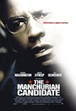

This movie was not what I expected at all, and boy was it weird at times.
Starring Denzel Washington, Liev Schreiber and Jon Voight, this is the movie that makes all of your wildest fears come true, the idea of a president that is bought and controlled by a special interest.
This movie is very trippy to follow, and violent at times. The first half of the movie is told is flashback to an opening scene in the Gulf War that goes horribly wrong. Denzel Washington starts to think that what he knows to be true isn’t, and he sets out to find out the truth before it is too late. It leads him right to the White House where the vice president on the Democratic tickets is being controlled by a group called Manchurian Global.
In the end, the movie works out to be pretty interesting. I was put off at first because even some of the footage looked a little futuristic, like the nomination celebration settings, and the live feeds of the presidents talking. Plus there are as always, a ton of close ups of Denzel’s face either breathing hard and sweating, biting his lip, or any of his other “troubled” quirks that he brings out for a movie like this.
If you like Denzel, even though this isn’t really his typical take charge kind of role, it is still solid acting and you may like it. If you like a different movie that you may not figure out right away, but gradually unravels, you may like this movie. But, if you don’t like psychedelic scenes with covert operating tables and sinister things happening to soldiers, you may want to pass.
Overall an interesting remake of a movie I would almost be curious to see the original with Frank Sinatra.
Chapman girls come to visit Pt. 2
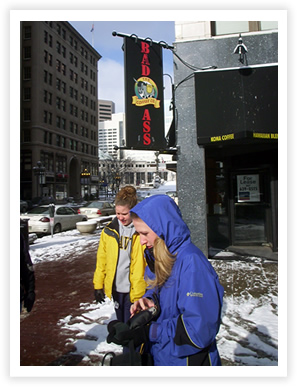
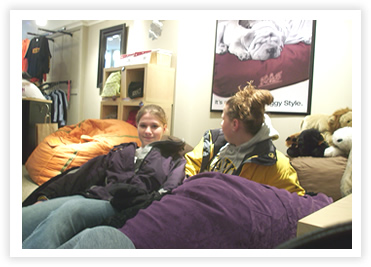
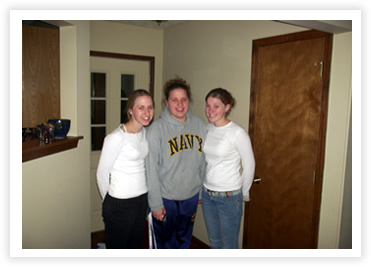
More photos from the weekend with the Chapieman goils. We hung out at the mall to get out and stretch our legs a little on Sunday before watching the embarrassment that was the Colts season ending loss.
The top photo is right down by the circle with the monument, I was taking a “Making of the photo, photo”. Sarah took Brenda’s photo in front of the Bad *ss restaurant, that has created some stir in Indianapolis for it’s interesting name.
The second photo is in a store that sold 8ft’ in diameter bean bags, but they felt more like one of those squishy pillows underneath so soft and soooo comfortable. Too bad with a nice cover they can run you as much as like $600 for a bean bag. For that much money, a sac of beans had better make me a steak and massage my tushocks as well.
The bottom photo is just the old prosperity one, nothing original.

