
Archive for February, 2005
Silverado (1985)
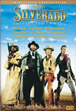

Christine let us borrow this movie with “Quick and the Dead” a couple of weekends ago. It only took four settings to watch it. I kept falling asleep.
I didn’t really like this one all that much. It has a good cast, Danny Glover, Scott Glenn, Kevin Kline, and Kevin Costner all in their younger days. A typical western, Silverado is about these four guys that kind of come together under strange little town and run all of the bad guys, and I mean a ton of ornery lookin varmits, out of town in one huge gunfight.
I think maybe the fact that I kept snoozin through the movie made it a little more disjointed. I liked seeing Kevin Costner as this young hip gunslinger with no brian and no fear. Kevin Kline was cool too as a wise and fast gunman, but he didn’t have very good taste in women in this movie. But you never really learn why the town is corrupted. You hear all these mentions of past story lines and past lives with some of the main characters and some of the bad guys in town, but they never really get explained.
If you are looking for some fun gun fights and really like one of these actors, see this movie, it doesn’t fall down from bad acting. But if you want to stay interested, I would pass on this movie. Especially since it is older the cinematographer is a little dull.
Working on Photo Gallery – New House Indianapolis
I hadn’t even noticed it had been a week since I wrote. This past week I have tried to get caught up on all of the freelance updates I had on my plate. That is why I haven’t written anything in so long, and in my breaks between working at home, I was still playing a ton of arcade games, primarily Mr. Do. I was hoping to do something different over the weekend since we have been busy pretty much every one since the beginning of the year.
We got requests to see more photos of the house now that we have been moved in for over a month, yikes! Or any update at all for pete’s sake.
I decided that I would make a photo gallery of something like 30 photos that I have taken over the span of this month. But as I was getting into it, I decided to give my coworker a call and see if there was an easier way to make the gallery using some programming things. Basically his answer was yes, but I would have to learn some things and then I could reuse it faster later.
So that is where I am at. I am going to try to make this gallery very soon, but who knows how long it will actually take me.
As for what we have been up to. Yesterday we went to the north side of the city to hang out with the Buissons for Mardi Gras (John is from Louisiana) and play our new game, “Scene It”. (A DVD game that is all about answering movie trivia with movie clips and other cool little things.) The game was a lot of fun I thought, and Sarah would have thought so too if she knew a little more about movies.
Sarah has been sick this week quite a bit. I have to take a second look most of the time to make sure the kleenex isn’t attached to her nose. She is looking forward to Kim Etheridge visiting next weekend for a day. She’s been talking to friends on the phone for a good part of the day today.
I had some time to think through things earlier today and between phone time I have been trying to do some organizing. I have all of these notes about Web Design from when I was working at Spindel in GR and all sorts of notes from developing V 1.0 of Rothecreations.com. I tried to sort them out more logical then the order creep they are in right now. By doing so, hoping to start getting organized for a redesign of the site. But I don’t have an actual plan of attacking that yet so who knows when it will get done.
So for today, I am just going to add movie reviews, and hopefully by tomorrow, with some help from Chris, I can get that gallery up and working in the Photo Diary section.
Sections Updated: Movies H-J, Movies A-B, Movies S-T
Visit David Wray in Cincinnati
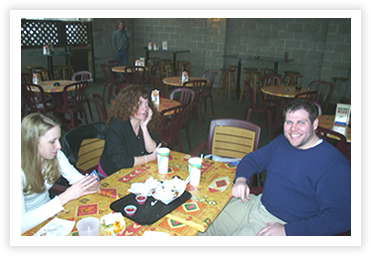


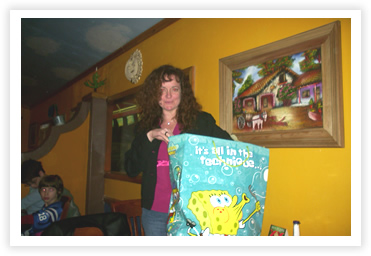
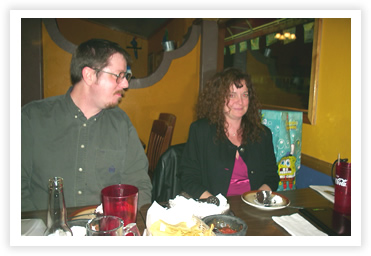
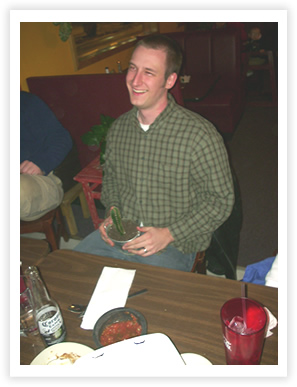

Christine and David arranged this trip, which we were more than happy to be invited on, to visit him and take a tour of some things of interest in Cincinnati. For me, a trip to any big city never needs an excuse.
We met David just at the city and then we immediately went to lunch. On the way we saw the interesting and extremely humorous sign that you see in the last photo, so we knew it was going to be a fun day.
At lunch we played geeky Marvel trivia, which I stunk at, no surprise. I get whooped all the time at Simpson’s trivia by Christine’s daughters. From lunch we then traveled downtown to go to a really sweet Toy Mall.
This mall is a consignment store where they are just booths of toys. I found one with transformers that I stared at for just about the whole time I was there. But was so cool to see everything from old He-man toys to Muscle men and some things that I used to have. It brought back some great childhood memories. I especially couldn’t allow myself to buy back any of that stuff at such a price now, but I almost did add a new Dinobot to my collection.
Then we hopped across the street to a great comic book store. We picked up some things there for…
Christine’ birthday! We were trying to plot things to do for her, but then this weekend trip happened on her birthday, Jan. 29th, so we decided to just do this instead. And some comic book graphic novels of course.
We went with David to go meet Kevin, who was also at the Ohio Comic Con. He is a great framer and he set Christine up with a frame for one of her pieces for a great price. Then we headed off to dinner.
David is more type A then Christine and me combined. He actually called the chamber of commerce in Greensburg IN, where we went to dinner, to find out the best place to eat. What a novel idea. And it turned out great.
We went to this Mexican restaurant that had amazingly low prices for their food, great big plates, and great service. We had a ton of fun, and I laughed myself to tears at one point in the night. Kevin can be a pretty funny guy. We continued with a few more birthday present for Christine, as you see with the Sponge Bob bag above, which she loved too. David got her the Marvel trivia game.
We finished the night out messing around, looking at toys, in Walmart. There were some derelict kids in there, on dates, like it was the place to hang out. It probably was all they had to do in this little bumpkin town. We met up there for dinner because it was half way btw. Indy and Cincinnati.
Fun night. We made plans for this summer and going to Charlotte. But sooner than that David comes to Indy at the end of Feb. to fly out to Florida for the Orlando Comic Con.
Oh, and that photo of me. I swear, it wasn’t my idea. But there was this cactus see, and it had an interesting shape to it. All I needed was a little nudge.
The Quick and the Dead (1995)

I really enjoyed this movie. I had no expectations when Christine lent it to us, and as a matter a fact, most of the actors in this movie in particular I am indifferent to or don’t really like. I was surprised to see Russell Crowe, however, before he became a big star.
The movie revolves around a little western town that every year has a gun fighting tournament. The town is owned by Gene Hackman and he is a ruthless tyrant who over taxes his people who already live in fear that he could kill them at any time. The tournament brings the best gun fighters from all around the world, or so they would have you believe. Sharon Stone is looking for revenge, as are most against Hackman. But she in particular because Hackman killed her father and took over the town when she was just a little girl.
As I mentioned, this movie has Stone as the lone female gunslinger who enters the contest, Russell Crowe is a preacher who used to be an outlaw, and Leonardo DiCaprio is Gene Hackman’s son, one of the fastest guns in the tournament known as “The Kid”, out to win his father’s respect. Gary Sinise has a small part as Sharon Stone’s Dad.
This movie was directed by Sam Raimi, and has his over the top, exaggerated violence. There were parts of this movie that I didn’t care for when it came to gore in the shootouts. After the first few rounds the fights are to the death and get more violent. So I wouldn’t recommend this movie if you don’t at least like westerns, or if you are turned off by a little gore. But Russell Crowe has a really cool character that although is troubled, like most of his parts, isn’t so overwhelming because he is younger in this movie. Why that matters? I don’t know. Like strong female characters. Sharon Stone is great. Gene Hackman is
solid too. I don’t think that man has aged in looks since 1986. He’s scary, powerful, and believable all in one.

