
Arcade Projects
Replacement cap for Frenzy ZPU1001 board
Tonight I stopped after the gym at Radio Shack to get a replacement capacitor for the ZPU1001 board. I didn’t want to travel all the way to Meunier for one cap. I soldered it in and put the board back into the cabinet and got….nothing.
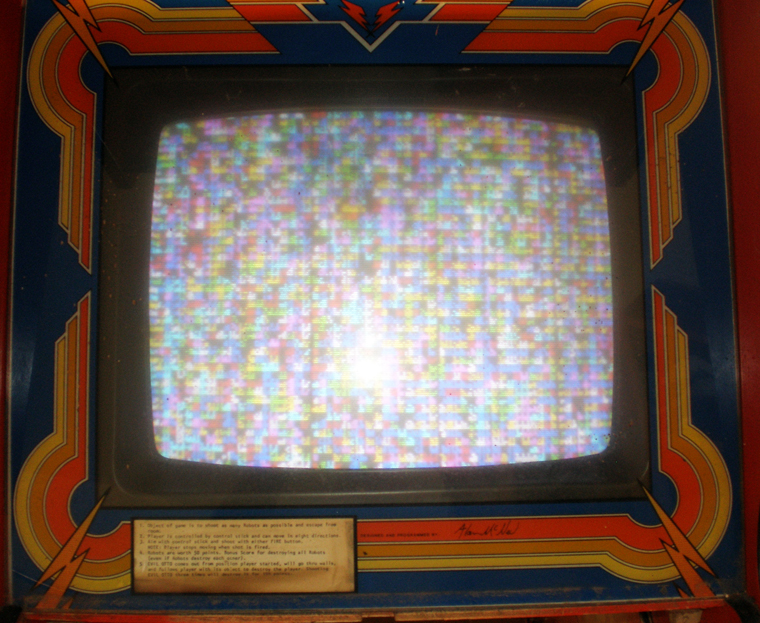
I got a white screen again, which was quite disappointing. The board was dry from the scrubbing, there was no reason it shouldn’t work. But, I did also have some problems soldering, the iron I have is about shot (which is fine because it was free). I don’t know what a cold solder joint is, but maybe that is what happened. Is a cold solder joint when you have old solder with new solder on top and the electricity doesn’t flow between them? All I do know is until I took that board out and scrubbed it and replaced that cap, I at least had garbage on the screen.
Here is what I expected to see like the first time, the Frenzy garbage on screen.
Figuring out the EZ-20 Monitor hookup
Realized I grounded the monitor wire to wood, doy! So I put that in the right place. Brent and I have beeen emailing back and forth. He has a Kangaroo he is going to try to take photos of the inside hook ups, but it sounds like I am not crazy, and there is a different way to wire an EZ 20 than a regular monitor. It is almost done, and it is bugging me that it is this close. But, I should be able to sell the working Dig Dug really soon.
Working on the Frenzy game.
I got out into the garage and started drinking around with the Stern Frenzy game. I did some testing on the fuses and determined that at the very least I needed to replace a couple of those. So, I took a short bike ride up to Radio Shack and got some. I couldn’t nail down which ones were bad, so I just covered all of my bases and got replacements for the ones in the power supply and on the Frenzy logic boards.
I switched out the fuses and lo and behold now instead of a white screen on the Frenzy monitor I am getting a bunch of square pixels on the screen. That is encouraging. I did some more research on the Frenzy ZPU1001 board inside for what to do next. Most of the posts asked about what to do about acid damage on the Frenzy board. Always acid damage, it was so common. I didn’t initially notice much battery acid damage, I noticed some discoloration and dripping where some of the connections were green, but I thought battery acid damage would be more like a fire or something, very obvious.
I already had taken off the battery used on the ZPU1001 yesterday and thrown it away, so I figured it had to be a different problem. I tried readjusting some of the connections to see if that helped at all. It didn’t, so I went back to the posts. Some of them suggested neutralizing the acid damage with another agent and scrubbing the back of the board. I knew I didn’t pay much for the Frenzy game, so in the end I decided to be brave.
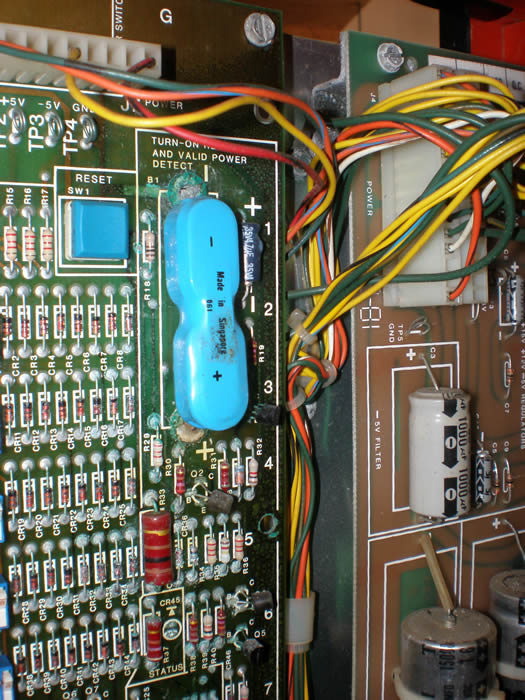
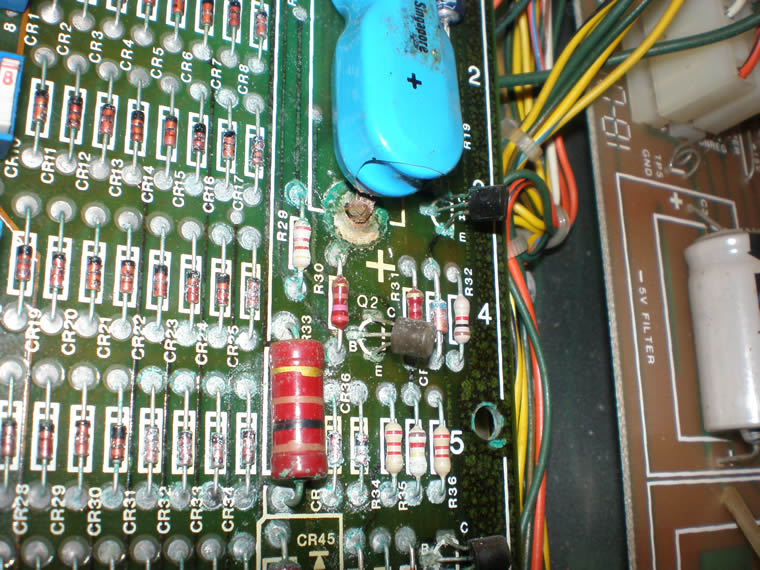
I removed the main processor board that had the battery leakage on it and once I looked at the back of it I realized how bad the leakage was. You could see discoloration over almost a third of the board, and all over the traces, probably gunking up everything. In the photos below you will see the contrast, on the front it is hard to tell and then how obvious it is on back.
I scrubbed the back of the traces with a vinegar water mixture. There was one capacitor that should be easy to replace in the leak zone, so I took that off as well. It was all bubbled up, so I figured that couldn’t be good. I could tell now how bad the acid leakage was because the solder was really hard to get flowing and get the cap out.
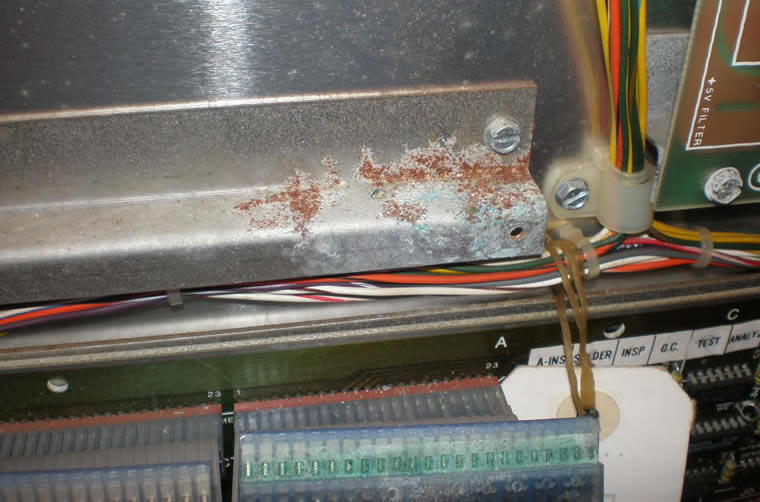
Here are some photos of the Frenzy PCB board, battery and the leakage down onto the ribbon cable below;
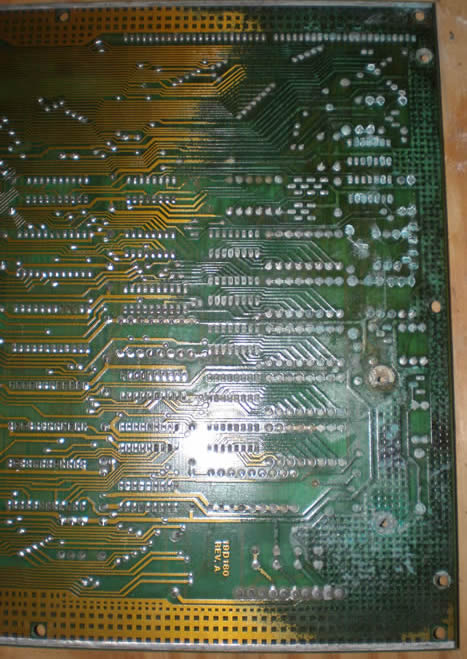
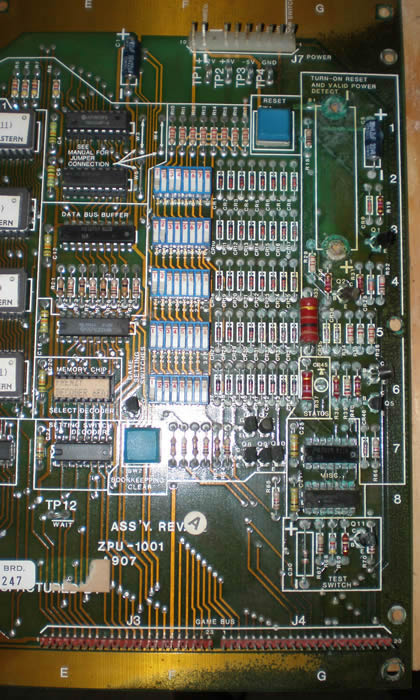
I have to let the ZPU1001 board dry for a day or so, so I just left things for now. I started to clean down the rest of the cabinet, mainly the top, and two of the buttons that wouldn’t even press anymore because of the crud in them. I put the buttons in a CLR mixture to loosen up the gunk. After cleaning the board the dirt was loose enough to scrub out with a toothbrush and put back in the panel.
I am going to go and get the replacement cap here in the next day or two, and cross your fingers, hopefully the game will work.
Got the Frenzy home today
I had some help in getting Frenzy today at lunch, and I got home from work at a decent time so I got to dink around with the game a little bit. I called Joe in Chicago to hear his thoughts and talk a little bit of gaming with him. I turned the machine on, and got a white screen which means there is power, but there are some other major issues. I should be able to check that out a little bit more tomorrow.
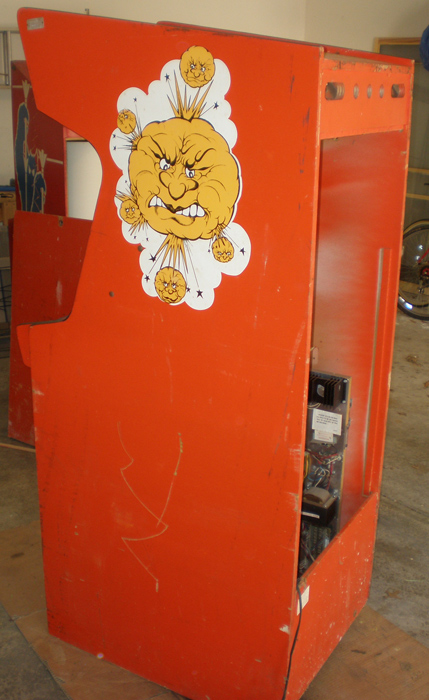
Here are some photos of the game;
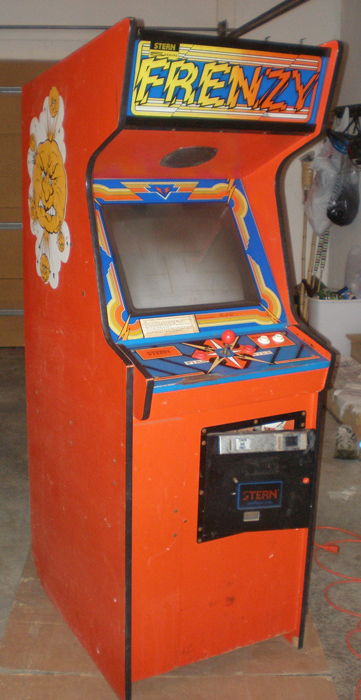
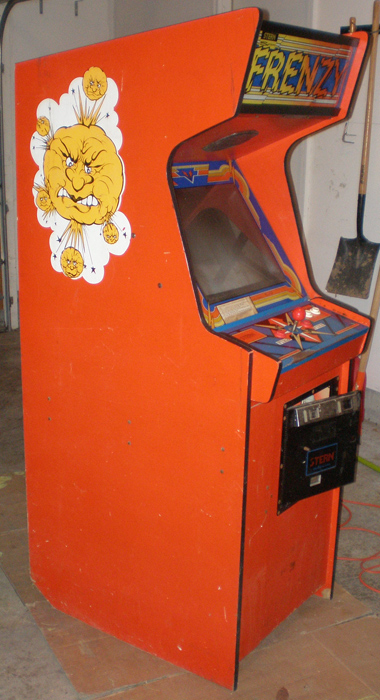
AMP connector arrives from Allied Electronics
Got the AMP connector in the mail today, so tonight, I spent the night checking everything and putting everything together. I probably could have done all of the work I did tonight a while ago, but at least now, as far as I know there is nothing that should be holding me up. I didn’t put on the connector, but I put in the PCB boards, checked all of my connections, but the cpanel back on and the monitor back in. It took a little while going back and forth between the machines, correcting some things, but finally it was time, and I powered it up. I got sound, humming on the monitor, but no picture. There is a led light on the PCB, but that is about it.
So, I don’t know what now. I wasn’t able to find where to plug in the RGB and Ground as well as sync, that is where I will start. There doesn’t seem to be any pins on this monitor, and it has been so long now since I unplugged that I can’t remember. There is a two hole molex connector on the 20 EZ monitor and another molex connector that doesn’t go to anything. Brent in KY has worked with these, so I emailed him, I hope he can help me out.
Jrok Pengo High Score Save Kit Released!
I was surfing last night and I saw that Jrok finally finished his Pengo High Score Saver kit back in late May. I am pretty excited about this, it has high score saving with extended tables, freeplay, attract mode, it can determine how fast the draw is of the blocks in the beginning, and you can choose which soundtrack you want. The last two options are paramount for me because I hate the soundtrack the game has now, probably a lot because I am used to playing it on Mame. (Say what you will).
The thing is, do I get the pack and have it sit until I get the game working? I think not. I don’t think I should plug it in to see if it fixes something either because what if the short blows this processor? So, it will probably have to wait, but maybe I will have to make this more of a priority fix as well. Hell I could take it out to Wagner Games considering I don’t have any money into the game so far in theory.
Finding electronics stores who carry my AMP connector
I posted in both groups about getting this connector, and no one responded. So, I decided to make an effort to stop at some electronic stores and find out if they had it. Plus, I had to get the diode for the audio board.
Well, I found out the connector is an AMP brand product, and I was able to get a phone number for Tyco Electronics, who apparently own AMP now. The part I needed is the female 9 pin connector, and the part number for this was 1-480707-0, or so I found out when I called their distribution center. Then came the run around. I was supposed to reference their distributors who had it in stock, a list of 40 of them, and then call them all to see which was in Indiana. Their site had no way to narrow it down. Pretty frustrating.
I called two people within the company for help, and they suggested a couple to try, helping me find a couple electronics stores I wasn’t familiar with on the northside of the city. I called Allied electronics, who have an office in Carmel. I wanted to see if they could just mail me a piece for cheap from their location there. Well, I got their home office in Fort Worth, TX, and this great sales rep I spoke with said it qualified as a sample, and that she would mail it to me for free! I was so pleased. They made a new customer! So I should have it in a couple of days.
I soldered on the diode when I got home, making a best guess on the polarity based on the schematic I had. So, once I get the connector I will try plugging everything in and see what I get. I am sure something else will go wrong, but I will know soon enough.

