
Arcade Resources
Pac-man back in downstairs living room
After I sold the R-Type today, I moved the historic Pac-man cabinet back into the main living room. I hope that in the next month I can work on it a little bit, installing the computer I have and finalizing the final details of my mame machine. It has been so long, what a nightmare. It would be nice to have it done by November, but who knows what the next few months hold.
R-Type is sold and gone
Today at lunch I went home to meet the ebay winner from last week. The auction ended on Thursday, about 18 people were watching it, but it didn’t turn into a bidding war, I had only two bids.
But the guy out of Chicago who won it really wanted it for awhile, so I was just glad someone won it who really loves the game. I love it too, but I don’t need a dedicated cabinet for it, at least not now. My name is signed on the inside in permanent marker, so someday if I decide I want it back when I have my mansion, I can hunt it down. But I imagine even then I won’t be able to beat it:)
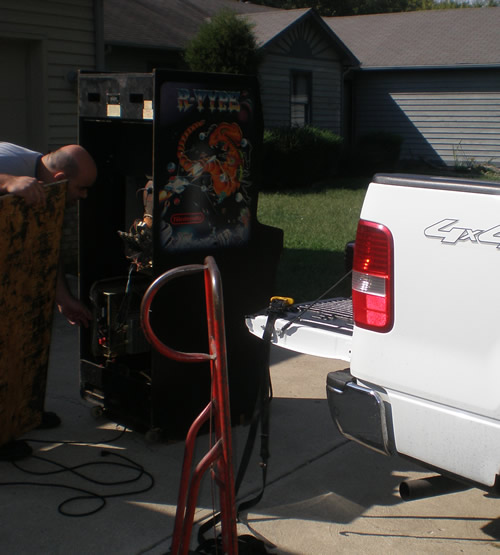
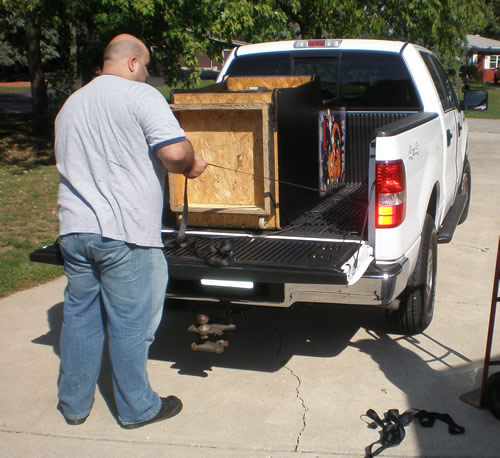
Here are some photos of it getting loaded up.
Started scanning Jr. Pac-man marquee
I got my Jr. Pac-man game last week Thursday, and while I am waiting to pay and complete my transaction, I thought I would take the time to start scanning the marquee.
My scanner took a crap, so I had to scan the pieces of the Jr. Pac-man marquee that I could with the printer / scanner combo that a friend just gave us. But because of the control panel, I can’t scan all of the oversize marquee flat, so I will have to wait to get the middle sections scanned meaning I will have to wait to start the artwork vectorizing process.
Jr. Pac-man has arrived
It finally came on Thursday, as smoothly as planned. The truck came, they dropped off the game wrapped up tightly and well protected, they took some photos of my “gameroom” which was a small disarrayed mess, and they headed out. They didn’t want a drink, food or anything.
I will try to post some photos of it, it’s still sitting in the garage as I wait to have a little more space hopefully after Tuesday. I haven’t figured out how to hook up the monitor just yet either, but I am sure that won’t be too hard.
Installed a switcher in the Pengo
That was over a week ago already, last weekend to be exact. I was talking with Richard, and looking inside the cabinet, and then I figured out how the switcher had to be wired. I had an extra two pronged plug that was some sort of AC power source. All I needed to do was snip that connector, tie that positive and negative into the switcher position and negative, and I knew the other voltages that I needed to supply for the PCB, so I went ahead and did it.
I was nervous about clipping connectors, but I kept telling myself that I could always put it back if I needed. I would have done this earlier, but I had it in my mind that the power was coming out from the linear power supply and going to the isolation transformer. But I wasn’t looking at the wiring. The power comes in from one main source and through the isolation transformer. the transformer then powers the monitor and the linear power supply. The linear power supply takes the AC voltages and changes them into DC voltages so the board and sound can use them.
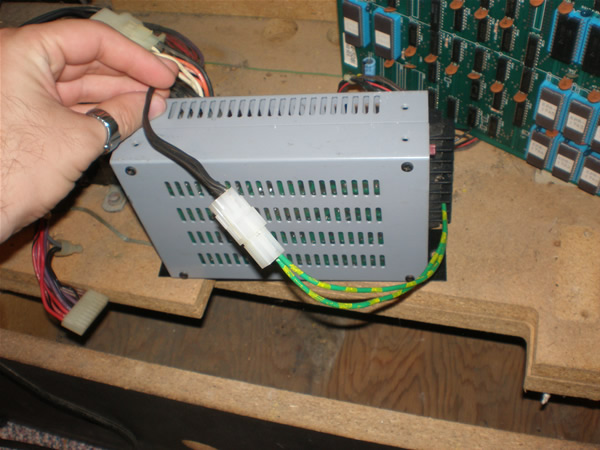
Here are the photos of what I did. I even made a little harness out of different molex connectors for the power supply connection.
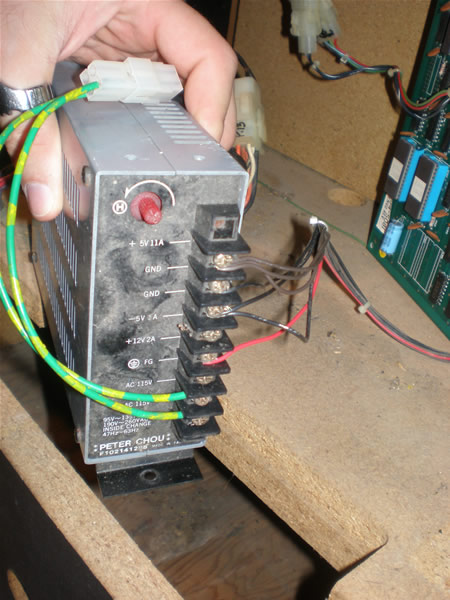
I double checked my pinouts before plugging everything in. At first, the game came up, but it did it’s typical thing. I put in a ton of credits, it started resetting, and then when I pressed player 1, I got one character on screen and everything froze. I heard some clicking noises in the coin box area, and that was it.
On Sunday, I stopped and got some clips to put on my wire connections just to make sure that I had good connections. I emailed Richard about what I did, everything sounded right to him, and I explained it with intricate little questions down to if it matter how many wires you had tied to one 5v connection head.
Well, the lesson I learned, you always have to test voltages coming from the power supply again. Come to find out, I was supplying around 5.83 V instead of 5V, so I probably just toasted my board. I didn’t have it on for long, but I know it doesn’t take much. But, the funny thing is, I thought with a switcher I would be able to get very exact voltages. But you only have one knob to adjust, and I am only able to get the same voltages to the Pengo PCB as I was with the linear power supply. I have to do about 5.1 V and that gives me about 11.9 V for the sound.
I don’t know. I am extremely frustrated, don’t know if my board works anymore, and out of options again.
Space Invaders Deluxe is gone.
Everything continued to work as planned, which lately, has been a real problem for me. I tried it at 4:00, and then again when the Richard Sain came by to get it.
A little bit bitter sweet since I have had it so long, and of course, one of my few working games, but feels good to have that touch more room in the garage working towards getting it cleared out for the winter.
Wizard Of Wor RAM Boards back
I got them earlier in the week, on Wednesday actually, but didn’t put them in until tonight. I had some time to kill while waiting for the buyer to arrive for the Space Invaders Deluxe, so I put them in the machine and tested it. I was so excited at the possibility of having that game fully working too and ready to sell.
Well, I got lines on the screen. I have no idea what that means, it is weird, fast horizontally moving lines. I wanted to check voltages before putting the boards in, and I got a pinout for the game, but wasn’t really sure because of the weird connections in the game if I should check them at the connection to the cage or at the connection to the one board.
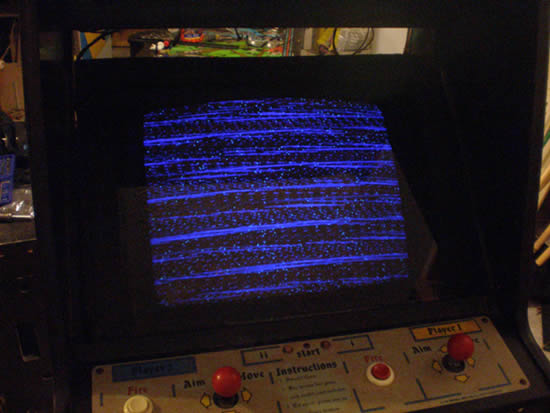
I hope that wasn’t a mistake. I am going to email the guy that repaired them, he’ll probably know the problem, he is really knowledgeable. It almost looks like a sync issue, which is an easy enough fix if that were true. But it looks a little more serious than that.

