
Arcade Resources
New Dig Dug Coin Door Amp Connector
Got the new AMP connector hooked up with the old coin door wires tonight, so that was pretty exciting. I coined up and played just fine, the coin door bulbs even came on. However I realized I hadn’t hooked up the Player 1 and Player 2 LED Cone buttons. So I had to go inside and check the connections on the other machine. The one button has solder on it for some reason, so I may just swap that one out. It has a broken cone, so it doesn’t even stay in the hole. I also had to re-attach the right side pump button.
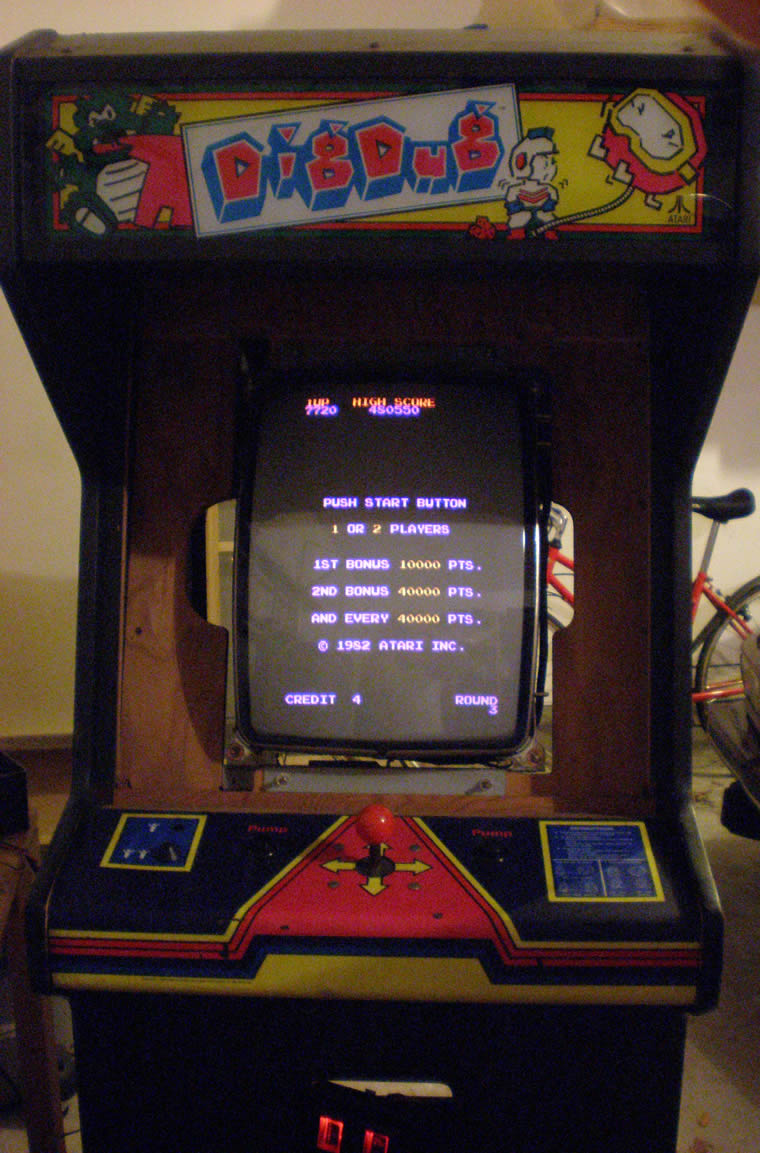
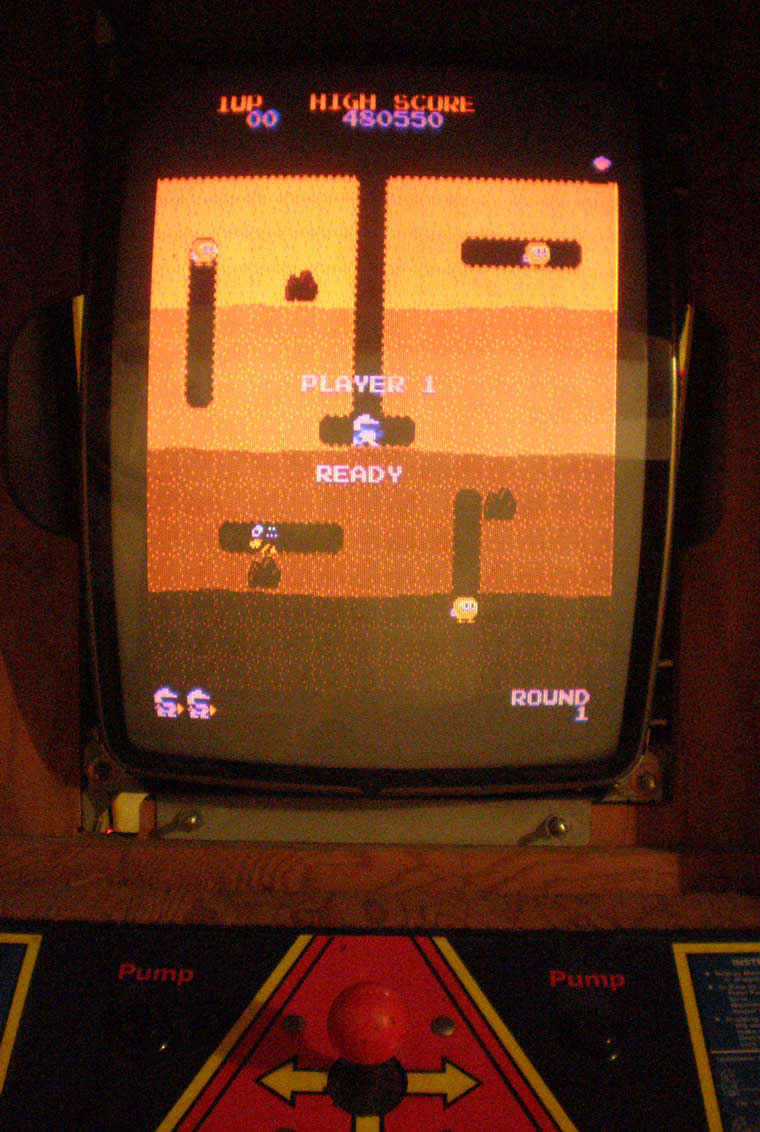
But other than the fact that there was quite a red tint to the game, I got to play it tonight. The alignment is off a little, the guys look a little funny. I also noticed that the marquee light didn’t come on, so I have to figure that out. Plus, the sound, is deafening, just like my Pengo. I will have to see if there is a Pot for that somewhere, and if it is working.
So, every time I think I am close, there is something else minor going on. But I think I am still going to try to list the other game this weekend.
Troubleshooting Pengo Power Supply
Spent a couple of hours tonight looking at the Pengo game and trying to do some troubleshooting, mostly on the liner power supply.
As you see in the photo below, this is what a Sega/Gremlin Linear Power Supply looks like fromt the front, with the PCB board mounted on the inside of the humongous heatsink.
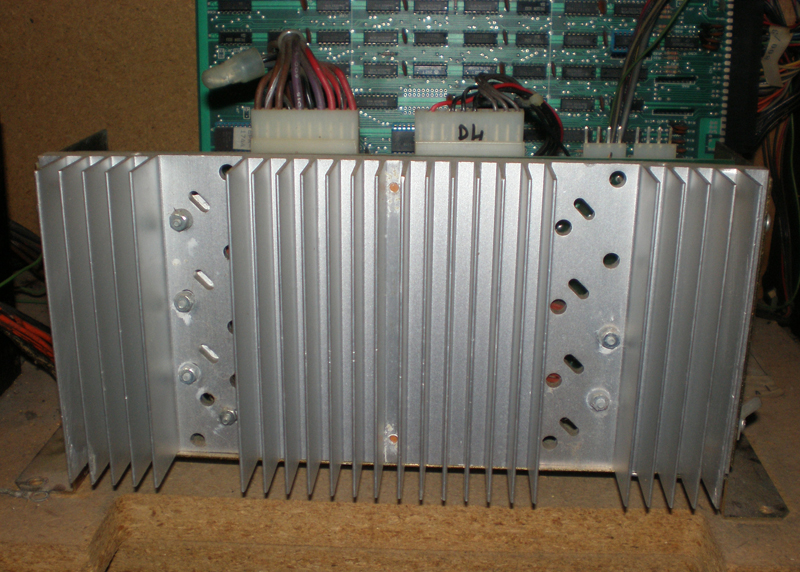
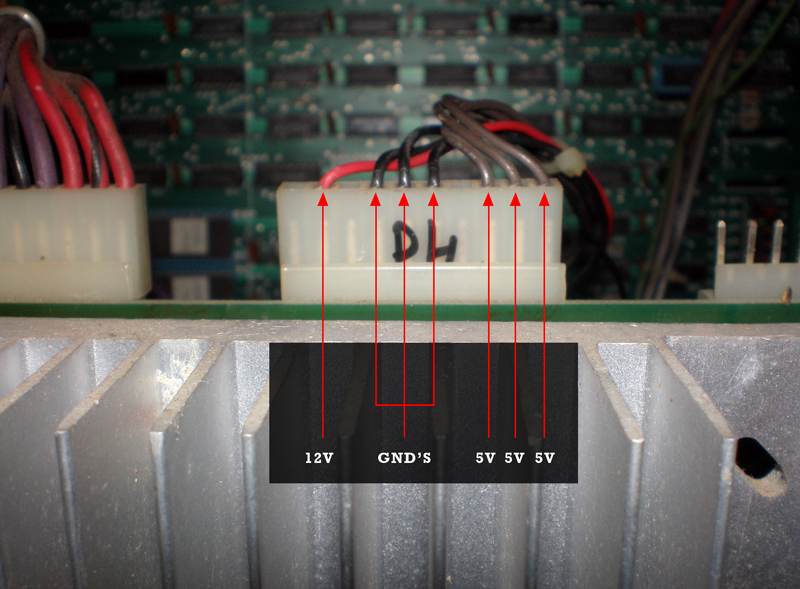
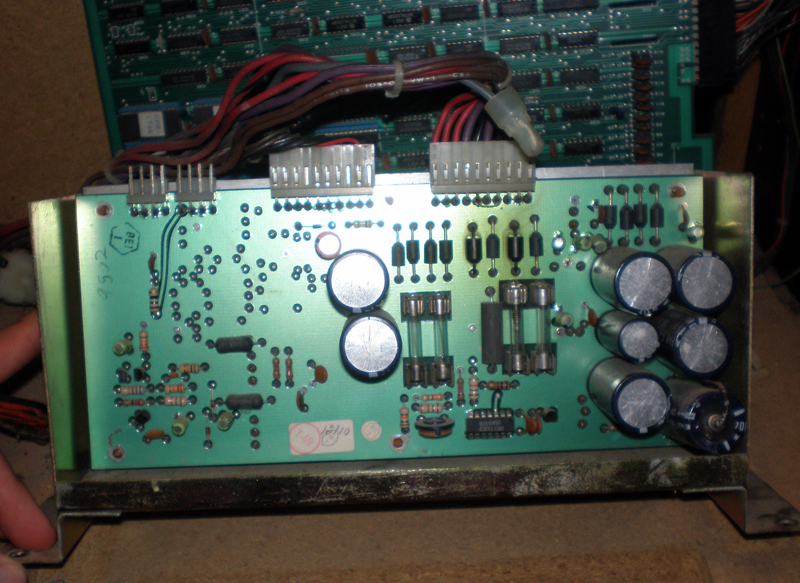
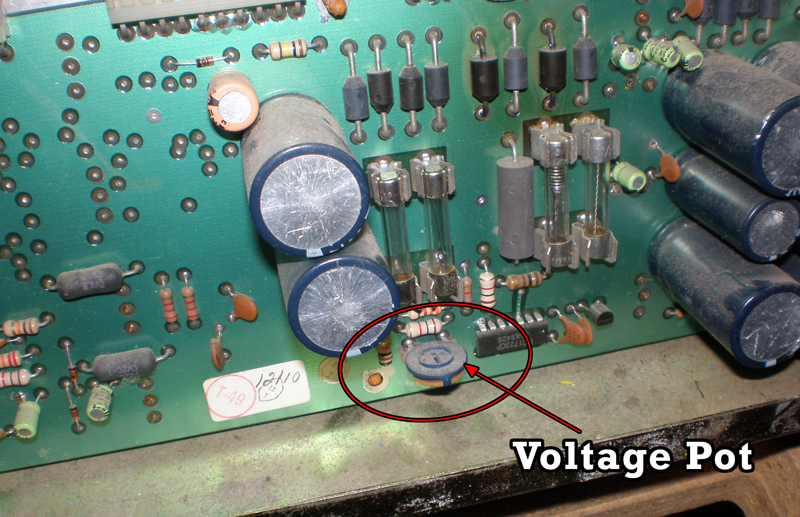
I had made contact with two different people who said to start by testing the Power Supply Voltages. The Power Supply in this machine is mounted awkwardly, so I just decided to unscrew it and get rid of some of zip ties. Most collectors like their games to be perfect and neat, right now, I just want to understand them and care little about that.
I took out the first two fuses and checked for continuity, and those seemed to be ok. (Those are the fuses on the left in the photo, just above where I indicated where the pot for controlling the voltages is at.) So, now time to check the voltages.
These second two photos above show the power connection for the 12V, 5V and Ground connections that supply the PCB. The 12V would be for the audio, and the 5V for the game board. I stuck my black lead into one of the ground, set my meter to 20V, and put my positive lead into each of the 5V and 12V connections, four tests in all.
For each 5V I read 5V exactly, and the same with the 12V, I read 12V exactly. So know that voltages can be dropped on the way to the board, I checked the voltages in the connector. Same thing, all of them right on the money which is weird, they usually fluctuate about .2 a volt. So, I decided to test right on the traces for the edge connector. I am going to point those places below, as well as the pinouts for this 44 (22×2) pin connector for the Pengo.
Should I replace the Stern Frenzy Ribbon Cables?
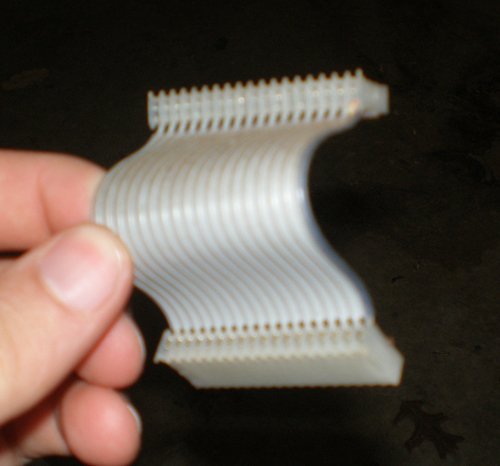
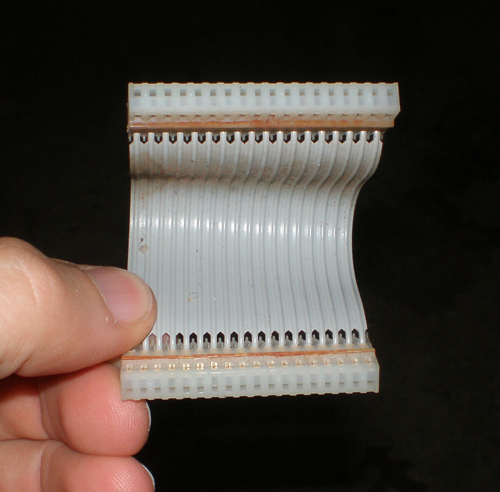
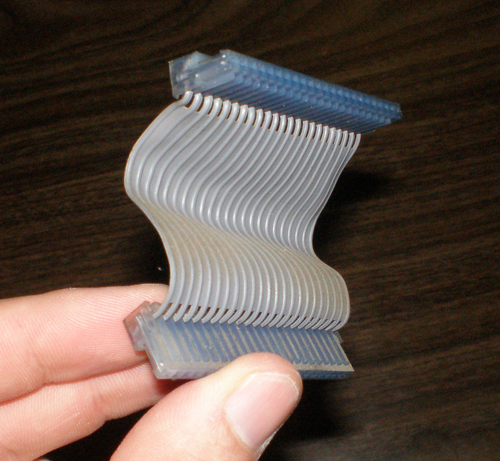
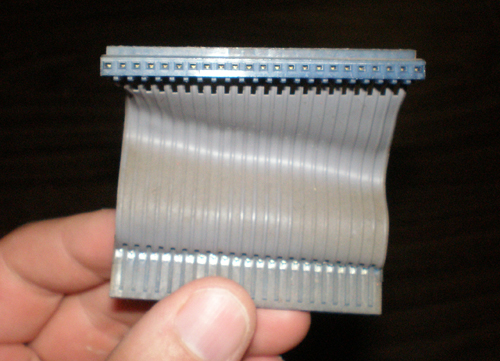
I started to think that maybe the ribbon cables were bad, I read that these were also a source of problems with the game. I read in posts that people have replaced Stern’s ribbon cables in a number of ways. Either they find a known working set on ebay, they find exact cable replacements for the pin configurations, or in some cases they make their own.
I read somewhere that people used scsi cables as replacements, but I didn’t find that to be true. Scsi cables are pretty huge, and regular ATA cables where usually in configurations of 20×2 = 40 pins, or 22×2 = 44 pins. The two cables I took from the Stern Frenzy game where in configurations of 23×1 or 18×1. So, without knowing for sure if they were bad and pumping more money into a game I wasn’t going to keep, I decided to wait and see if another solution presented itself.
Final Dimensions for Agent X Kickplate
I got the dimensions for the artwork over the weekend, so I decided tonight I would give it a shot and see how far things were off in terms of real dimensions.
The dimensions I was given for the Agent X kickplate artwork are; (Mind you, these are the same for a Crystal Castles and I even think a Star Wars cab)
- Total Height of Kickplate / Coin Door Area = 29.625 in.
- Total Width of Kickplate / Coin Door Area = 23.75 in.
- Total Width of Coin Door (To Outer Frame Edge)= 8 in.
- Total Height of Coin Door (To Outer Frame Edge)= 20 11/16 in.
- Measurement down from top of kickplate to top of Coin Door edge = 1 1/2 in.
I don’t have a measurement from the left or the right of the kickplate to the inner edge of the Coin Door, which would give me very precise alignment, but this isn’t a film but a replication, so it will never be perfect.
When I made my Illustrator canvas the right size, and scaled everything up, I did really well. The Coin Door fit perfect in the spaces drawn for it. The only thing that I need to make a decision on is that the artwork is a little tall. There is excess border on the top, so nothing important that would be cut off for the most part. Now, I could just cut it off, and actually lose one green circle on the right, or I could scale it down to fit. It wouldn’t be proportionate, but for about .75 of an inch, you wouldn’t even notice the distortion unless you had two machines side by side. But one thing is for sure, I probably won’t go back and readjust all of the artwork just to get that green circle in the printing area at the top right.
I have to talk to Richard to kind of see what he thinks.
Amp connector on the way
Tonight was a fairly exciting night. I spoke with another really helpful, really intelligent collector who helped me understand something that should have been simple but I just didn’t see myself. The 2×3 AMP connector coming off the EZ20 monitor was indeed for the RGB Ground and Sync.
The Red and Green wires terminating in a molex connector were for the power, the colors and location were just throwing me for a loop. I looked at the old harness I took out, and sure enough, there was the 2×3 AMP connector, and then pigtailed off of that was a regular .156 headers for the RGB and sync as well as the ground as a seperate connector. Fortunately the wire colors were the same, so all I had to do was snip that whole piece off, and match up the same wires together on the original harness. I did have to “hack” the original a little bit, cutting off that RGB Sync and Ground connectors there, but in this instance at least I would have both options for the future no matter what monitor.
So, I matched up the wires, soldered them together, connected the 2×3 AMP and let the unused RGB sync and ground dangle, wrapped up the soldered wires in electrical tape and plugged it in.
I got a picture! Yes! Not only that, but I got sound! The picture is messed though. I just did new caps, and there seems to be a color missing the screen is really yellow.
This collector that helped me out on the phone also talked to me about the power supply. He says that Bob Roberts makes a kit to do some replacement of different parts on the power supply. The big blue capacitor can cause a lot of problems, and it also come with a new fuse block and fuses and some other stuff. He said this is worthwhile to get. He also said that the audio board is also actually a linear power supply, so it is important to get the schematic and see if it is putting off the correct voltages to the PCB, otherwise as I have learned lately, the incorrect voltages can damage the ROMS, RAMS, EPROMS and any other matter of things.
I still need to attach the AMP connector to the coin box so I can test that out. I hope to do that here in the next day or two.
Replacement cap for Frenzy ZPU1001 board
Tonight I stopped after the gym at Radio Shack to get a replacement capacitor for the ZPU1001 board. I didn’t want to travel all the way to Meunier for one cap. I soldered it in and put the board back into the cabinet and got….nothing.
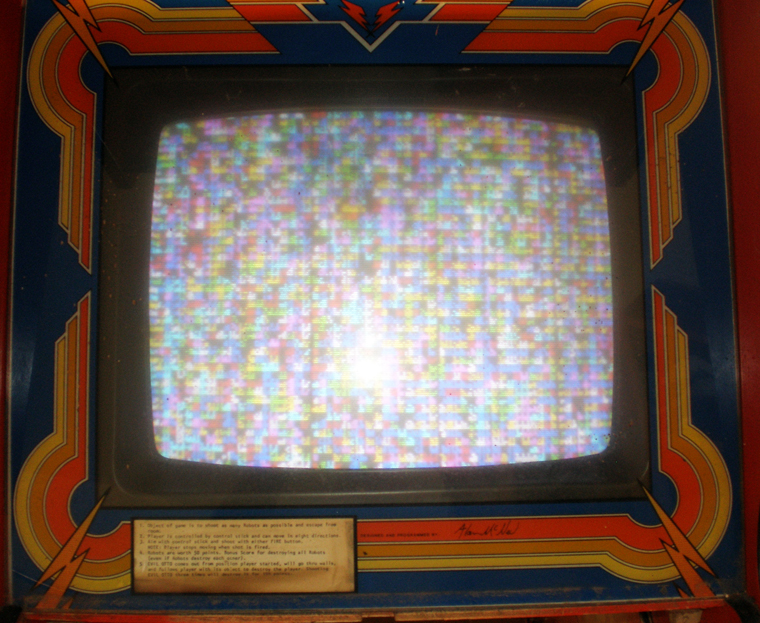
I got a white screen again, which was quite disappointing. The board was dry from the scrubbing, there was no reason it shouldn’t work. But, I did also have some problems soldering, the iron I have is about shot (which is fine because it was free). I don’t know what a cold solder joint is, but maybe that is what happened. Is a cold solder joint when you have old solder with new solder on top and the electricity doesn’t flow between them? All I do know is until I took that board out and scrubbed it and replaced that cap, I at least had garbage on the screen.
Here is what I expected to see like the first time, the Frenzy garbage on screen.
Figuring out the EZ-20 Monitor hookup
Realized I grounded the monitor wire to wood, doy! So I put that in the right place. Brent and I have beeen emailing back and forth. He has a Kangaroo he is going to try to take photos of the inside hook ups, but it sounds like I am not crazy, and there is a different way to wire an EZ 20 than a regular monitor. It is almost done, and it is bugging me that it is this close. But, I should be able to sell the working Dig Dug really soon.

