
Arcade Resources
Agent X Marquee
Traced the Agent X logo from a low res marquee.
First Mr. Do! photos from Rob Carroll
Today was a great day. As promised, Rob sent me some photos today. Now, in the past, when I have asked for photos from people, they have sent me one or two, but Rob knew exactly what I needed. He took the time to send me a ton of photos, almost 30 in total of the whole sideart and details of each of the individual pieces (apples, monsters, ice creams, etc.) He even sent me photos of the kickplate, control panel and bezel, which was pretty sweet too.
However, the machine, like the one Walt has, is pretty worn on the sides, the sideart barely visible in parts. I hope to work from some of what he sent, but some is too worn to even work with. The one really awesome thing is the bezel. The Mr. Do bezel has some of the exact character drawings on it that are on the side. The condition of the bezel is pristine, so I should be able to draw characters from there, and arrange them on the sideart. But I don’t think all of the characters on the side are on the bezel as well, so I think I will need to get some other supplemental photos to help me piece meal is all together.
It will be a process, but Rob has been great so far, and I was up for the challenge. I only know of two of these machines owned by collectors, so it is a miracle that I got any photos to begin with.
Before the night was up I traced the apple as best I could see in the photo. I asked Rob for some additional detail shots, and he said no problem.
Got hi-res photos of Agent X Sideart and Kickplate
Tonight Richard sent me hi-res photos of the Agent X sideart and kickpanel, we are under way.
Installing a new Dig Dug harness
Got out in the garage today and started putting in the new harness. I got most of it in, and took out the old one completely. I just braved it and assumed I could find all of the correct connections for each of the molex connectors. That is the great thing about this harness, there are no solder points, all plug and play. I think I figured out today though that I will probably need a connector for the coin door, the old one was cut off completely. Here are photos of the male end that I have on the harness.
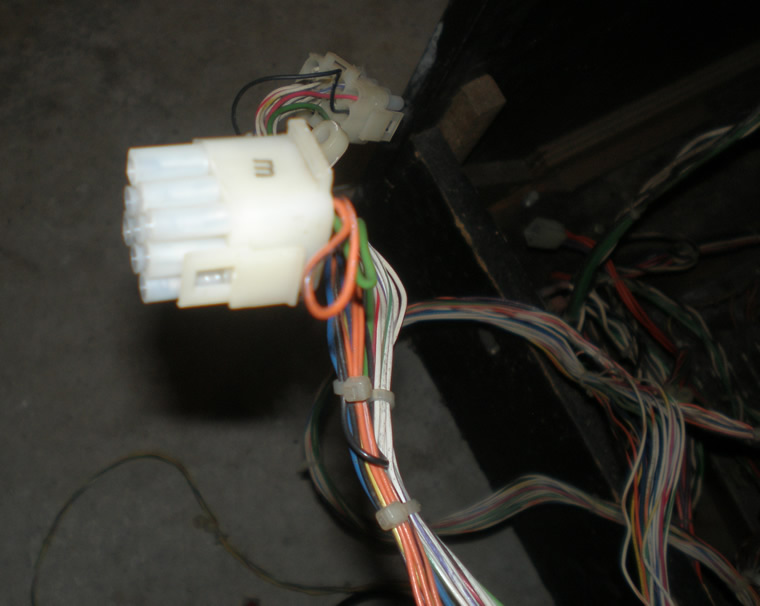
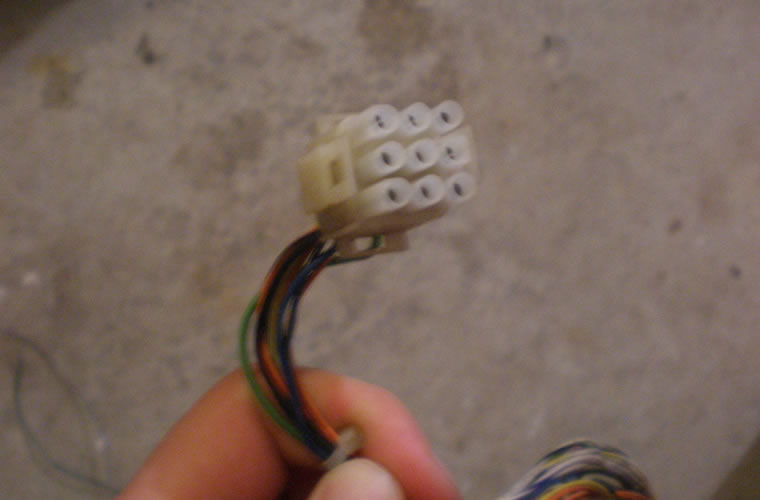
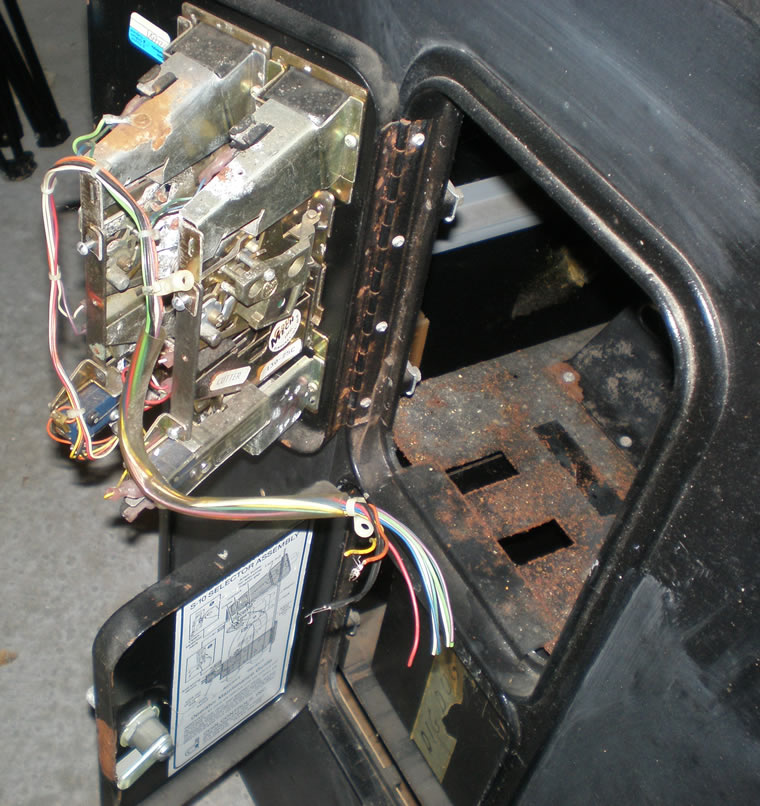
I am also starting to think that there is an audio board that needs to go with this, which really pisses me off that I am figuring this out now. I have to try to find out which one.
Follow up with Rob Carroll
I sent Rob a follow up email today, and how exciting, he had time to get back with me. I didn’t fall into spam, so he had got my other message and said he had no problem sending me photos of the game for me to do some tracing on. Maybe even as early as tonight. Thanks Rob, hopefully I can help him out in some way, I have noticed he does a fair amount of posting so he must be fairly involved in the hobby yet.
He even helped me with a small bit of what little I know about the history of the game, so I rewrote the above section a little bit.
Received uncut Dig Dug harness
Got the uncut Dig Dug harness today in the mail. I tried the connection which was labeled a “J20” with the PCB board I have, and they fit, so that is exciting. It came with all sorts of goodies, the operation manual, and even the cone buttons that I had hunted
for a good deal for so long, so it was definitely a good purchase.
I managed to get the workbench organized and cleared off, probably for the first time in 6 months, so I got the monitor setup and ready to work on hopefully this Saturday.
Finished vectorizing Jr. Pac-man cpanel overlay
I finished up the control panel overlay tonight, I had poked around with it for small periods of time over the last week, including a fair chunk last night. Here it is;
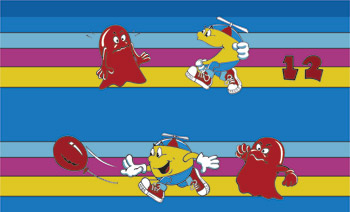
Now, the photo was provided kindly, and since I didn’t have any intentions in the near future to reproduce this, I didn’t sweat the details. But I should probably revisit some of the details in the shoes of Jr. Pac-man in the control panel overlay, the photo I had got a little fuzzy at parts. But, that happens in any photo no matter how great the camera, and you can always use detail shots. Thanks again Richard.
I kept this image small, yet again, because if you want to reproduce the work I have done, I want to make it as hard as possible. Contact me if you are interested in more information about this artwork or some sort of trade. All of my artwork is done in the industry leading vector program Adobe Illustrator, so it can be sized and changed as much as needed without loss of quality.

