
Archive for September, 2004
Conan to replace Leno
I heard on the radio today that Conan O’Brien is the announced successor to Jay Leno when he retires in 2009. I love Conan, and can hardly envision him in that role of Late Night host. But talk about over hyped, it was all over the TV tonight. It’s five years! They interviewed everyone from Mrs. Brady to Conan’s socks. What can ya do, that’s Hollywood.
Catwoman (2004)
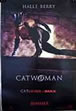

I knew as soon as previews came out for this movie that I would have to see it for cheap because even the trailers made it
look stupid. But in some respects, you have gotta give this movie props for making it through 10 years of cast and directorial changes, out of development hell to the big screen.
I think though that was kind of the point. The audience after Batman Returns has long since past. This movie wasn’t poorly made, just got lost for maybe a thought originally to cash in on the popularity of Michelle Pfeiffer as Catwoman.
It didn’t suffer from bad dialogue, but almost worst, just a really stupid plot. A cat breathes on Halle Berry and she has magical
powers. I asked myself, is that so much different than a radioactive spider? Yes, at least that is a little believable. Halle Berry
looks painted gold and walks like a robot most of the movie, and the action sequences which are nicely envisioned are so choppy it is hard to follow.
Either way, I didn’t expect much and I got what I expected.
Movie at Castleton Arts on the Northside
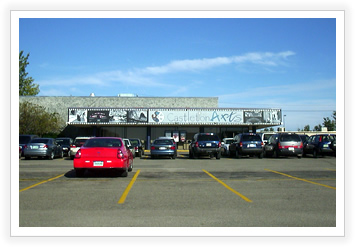
My friend Christine Mulligan, who I met on the Public Relations board for church, and I went up to Castleton Arts Movie theater on the northside today. I had never been, it was a cool little three screen theater with a nice little lobby. We saw “Shaun of the Dead” which was a hilarious movie. Go and see what else I had to say about the movie in the movies section.
Cast Away (2000)

I cannot remember a movie that Tom Hanks has done that I didn’t love. I saw Cast Away soon after it came out, and thought,
cool movie, but probably won’t ever watch it again.
Tom Hanks get stranded on a desert island after his plane crashes into the ocean. He is left for dead, and seems to not be able to survive. But after four years, he is still hanging on and with his volleyball named Wilson, he makes one last effort to try to find help.
The thing about this movie, other than the turmoil that Tom Hanks overcomes, physically and mentally, is that it is a whole movie
of him, alone, on an island. 90% of the movie is just with Tom Hanks, and he carries the weight incredibly and convincingly. He makes you believe that he is stranded and at wit’s end. And then there is Helen Hunt. The pain you sense between the two characters when they finally meet again. (Helen Hunt is his fiancee) She always plays very powerful parts, and this one is no different. A sad, but very powerful movie.
Shaun of the Dead (2004)
Those freaking Brits.
Although gruesome at parts, this movie was so hilarious my face hurt. With everything you could expect from British humor minus a movie that revolved around vulgar activity, Shaun of the Dead is a movie with perfect timing. When it doesn’t seem like it can get any worse for a loser electronics manager, it does. His girlfriend breaks up with him, his step dad is breathing down his neck, and his friends want him to kick out his grotesque roommate (think Jon Belushi but English and non-deliberately dumber).
Then, something cataclysmic happens, and all off a sudden, 90 percent of the population is turned into zombies. Shaun seeing his chance to make something of himself, sets out with his roommate to kill as many as they can in the funniest possible way.
Opra gives away a car to every audience member in her season opener!
Oh man, did anyone see what happened this week? You always see the commercials for Opra, and the women are always screaming. Mad TV even did a parody of the fact that she finds these really overly excited women. But this time, maybe they have a reason.
I guess Opra found audience members who were all a little down on their luck, and well, gave them a car! She gave her whole stinking audience a car, every member. Pretty crazy. Letterman even did a little poke at Opra last night. So although I would argue Opra’s importance in TV history has been minimal to date, this little stunt has earned her a first in original ideas.
The Apprentice

Oh Jeeze. I love Mark Burnett’s shows. We liked the first season of “The Restaurant”, Survivor is a great idea but is now slop, and of course, arguably his biggest success, “The Apprentice”.
I watched last season some of the time, but it honestly didn’t get interesting until the end when all of the losers were weeded out and all of the interesting tasks were happening with smart people.
This season, Carolie looks more like Diana and acts more bitchy. Donald Trump comes into every scene with self ego inflating sound bytes and trumpet ensembles. But in spite of it all, the tasks are better, the players seem to be better, and the grandeur of everything is just cooler. You have to try it at least once and say that there is some hope for the “reality” genre of TV, to try something truly original once in awhile.

